|
|
|
|
Customers
FamilyTrees.GenoPro.com
GenoPro version: 3.1.0.0
Last Login: Thursday, September 5, 2024
Posts: 67,
Visits: 221
|
They used to work okay but now three quarters of my pics do not show - just red crosees. I have examined the Pictures View in my tree and the ones that show seem identical to the ones that dont. Some are even side by side in the same folder.
|
|
|
|
|
Customers
Important Contributors
FamilyTrees.GenoPro.com
Translator
GenoPro version: 3.1.0.1
Last Login: Sunday, March 21, 2021
Posts: 716,
Visits: 12,927
|
Can you please post a screen shot of what you see. And please be more specific in what you have done. Step by Step.
|
|
|
|
|
Customers
FamilyTrees.GenoPro.com
GenoPro version: 3.1.0.0
Last Login: Thursday, September 5, 2024
Posts: 67,
Visits: 221
|
I am talking about the online website and when I click on the photographs tab and all the photographs come up, all I see is red crosses for most of the pics.I am not doing anything other than hitting the report generator as always and letting it do its thing - i can watch is apparently loading each pic - it slows up when its doing that - it even rejects one out of 120 so youd think it was happy with the others. 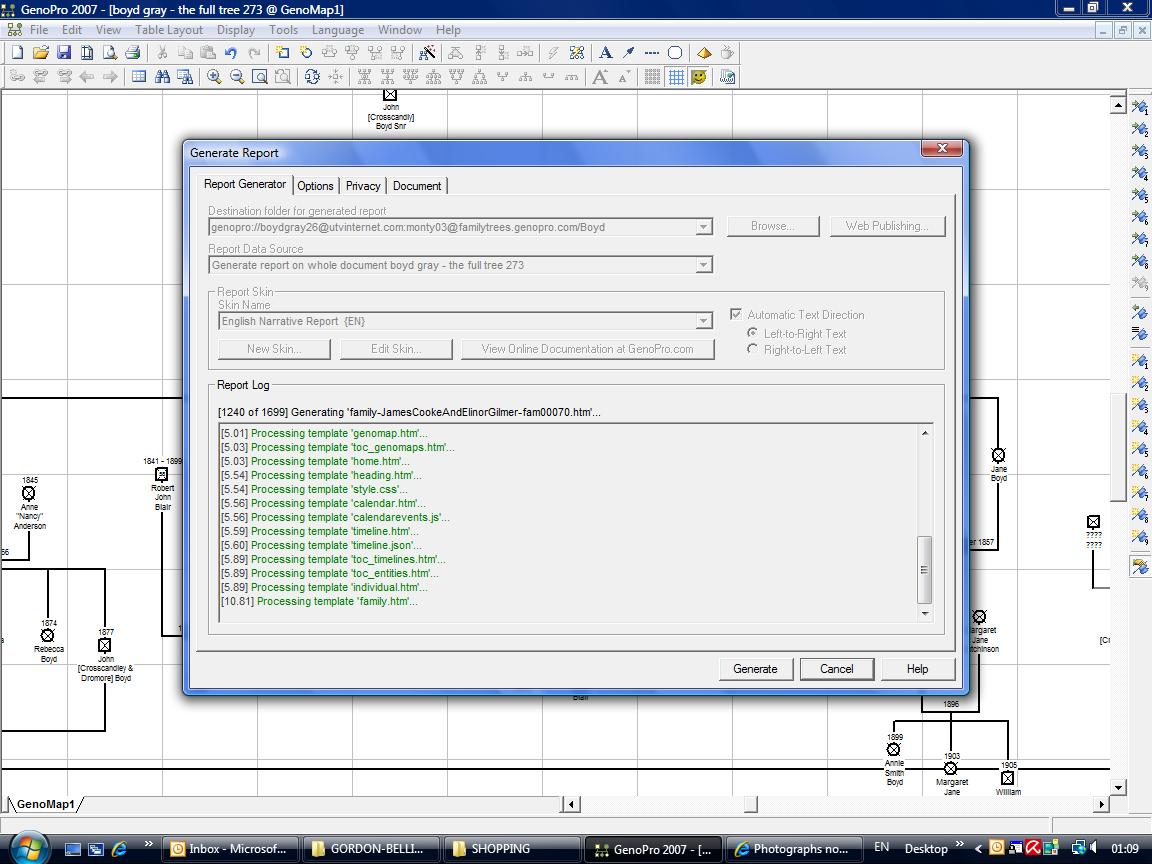
|
|
|
|
|
Administrators
Moderators
Customers
Gamma
FamilyTrees.GenoPro.com
Translator
GenoPro version: 3.1.0.1
Last Login: Tuesday, February 3, 2026
Posts: 4,886,
Visits: 22,803
|
GenoPro needs the picture dimensions (width and height) when generating a report containing pictures. This is necessary in order to keep the picture aspect-ratio. Once the picture dimensions are loaded, GenoPro should save them in the .gno file, thus avoiding to re-load them each time a report is being generated. Somehow the pictures dimensions are not kept in memory, making the report generation slow.A similar bug has been posted at File->Save option doesn't update Pictures Properties. I wonder your problem and this bug are related. I took a note and will investigate the issue this week.
|
|
|
|
|
Administrators
Customers
Important Contributors
FamilyTrees.GenoPro.com
GenoPro version: 3.1.0.1
Last Login: 1 hour ago
Posts: 3,487,
Visits: 27,238
|
I am not convinced this is to do with the GenoPro picture cache. Your GenoPro profile shows your report has only 69 photos, but the Picture Index page has over 100 entries. If the pictures had no dimensions in the .gno then they are not referenced in the index or any other page.A red box indicates a missing, but referenced image. It looks to me as if the process of copying the pictures to the web site, which happens right at the end of the report generation, did not complete satisfactorily. Have you tried republishing your report?
'lego audio video erro ergo disco' or "I read, I listen, I watch, I make mistakes, therefore I learn"
|
|
|
|
|
Important Contributors
FamilyTrees.GenoPro.com
Customers
Translator
GenoPro version: 2.0.1.6
Last Login: Tuesday, December 16, 2008
Posts: 390,
Visits: 1,271
|
I think the Genopro problem/bug seems to be the handling of the 'Relative Path' as shown on this screenshot: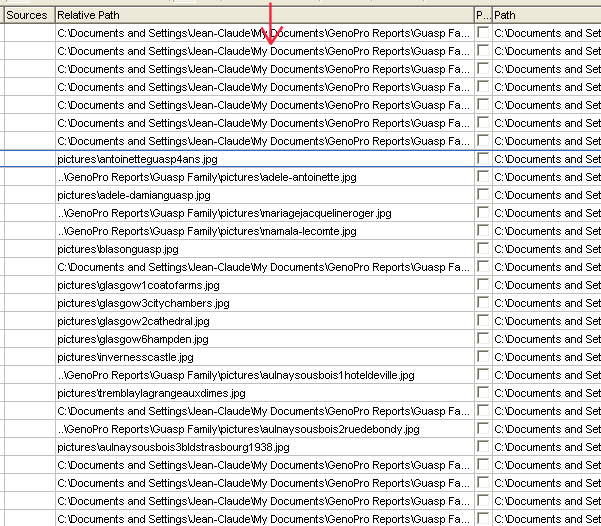
The 'Relative Path' column is messy and inconsistant. For info, these Picts have been added at different point in time. Why the Rel Path is shown differently?
I'm no expert but I recommend:
1) make sure all your Picts are all grouped under the same Directory.
2) In order to have the same 'Relative Path' (except of course the Pict name) shown for all Picts, you'll have to re-link the 'Odd' Picts, i.e. using the 'Browse Pict' button on the Pict panel. If not mistaken, the photos not properly linked (for whatever reason) will not show in the Pict Prop panel even if a name is present in the 'Pict Location' field and/or even if these Picts were showing OK at a certain time. These ones, especially, should be re-linked.
On Table Layout(TL) -> Pict, you can easily open each Pict panel in double-clicking the 'Path' cell of each Pict.
3) It's time consuming but at the end, you should end up with a clean consistant list: 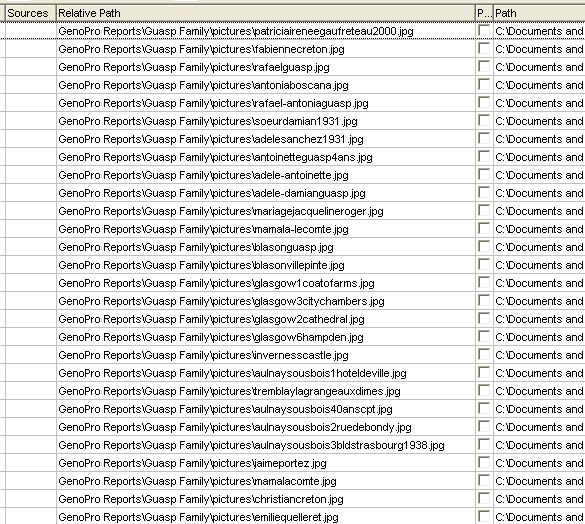
4) Make sure the Report Options Custom tag 'Exclude this picture?' is not = "Y". 5)The last recommendation is to reduce your Picts to a max. of 250pix x 250pix. It will significantly reduce the Pict loading/display time on your web site! The 250x250 dimension is actually the one shown in config.xml param <PictureSizeLarge>.
Having done that, keep your fingers crossed and republish your report, first to your HD for checkup then to your web site.
Alternatively, you may try to use the option Tools->RelinkPict (or right-click on the TL->Pict 'Relative Path' header) if applicable to your case.
I hope you'll make it.
Genopro or Ron: Please correct me if I'm wrong.
JC
Edited: Sunday, April 27, 2008 by
jcguasp
|
|
|
|
|
Customers
Important Contributors
FamilyTrees.GenoPro.com
Translator
GenoPro version: 3.1.0.1
Last Login: Sunday, March 21, 2021
Posts: 716,
Visits: 12,927
|
jcguasp (4/27/2008)
5)The last recommendation is to reduce your Picts to a max. of 250pix x 250pix. It will significantly reduce the Pict loading/display time on your web site! The 250x250 dimension is actually the one shown in config.xml param <PictureSizeLarge>.
JC
I can not agree to this point, although reducing the size is important, but the popup Window will not show a bigger image than the one showing in the report. So the size should be left to a size, which fits into the overall vertical screen size.
|
|
|
|
|
Customers
FamilyTrees.GenoPro.com
GenoPro version: 3.1.0.0
Last Login: Thursday, September 5, 2024
Posts: 67,
Visits: 221
|
I don't think Relative Paths is the problem as mine are very neat: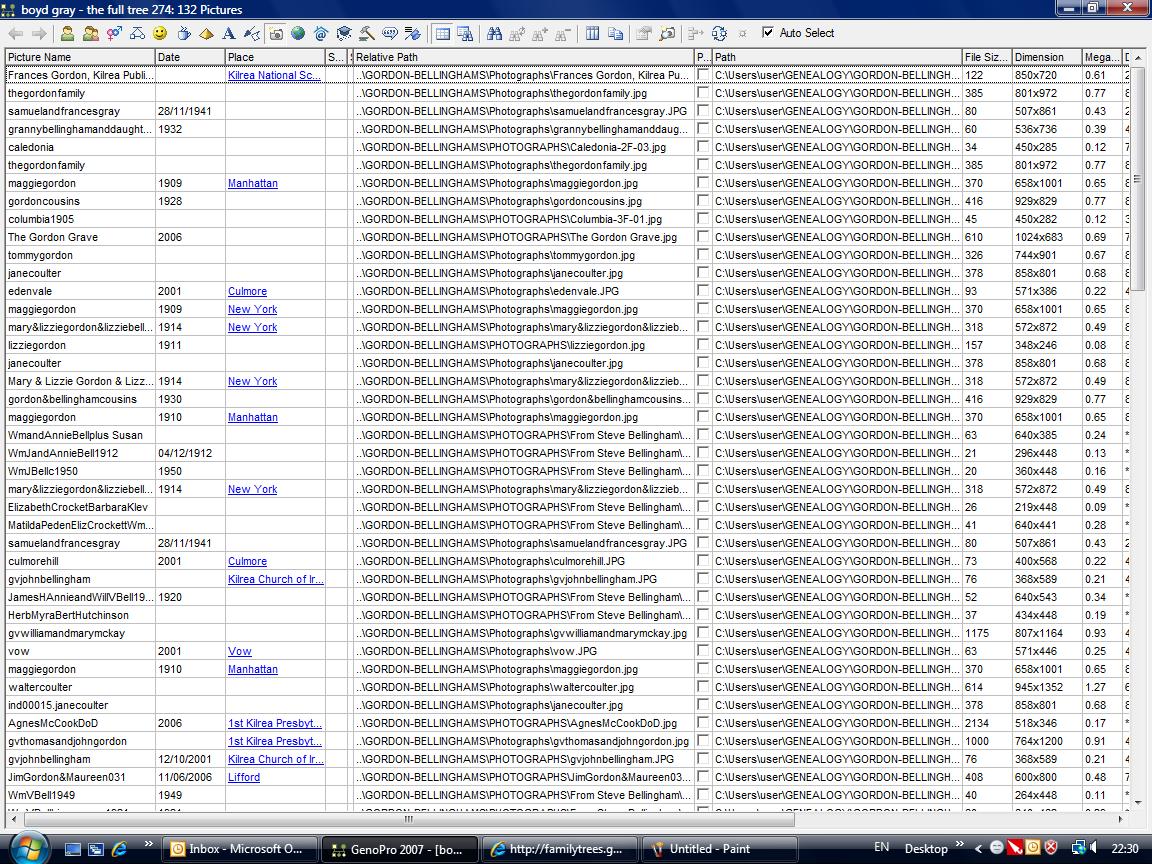
|
|
|
|
|
Customers
FamilyTrees.GenoPro.com
GenoPro version: 3.1.0.0
Last Login: Thursday, September 5, 2024
Posts: 67,
Visits: 221
|
And here you can see that the Report Generator is having problems with a few of the pics - but only a very small number - probably ones which are not in th files they should be in:
|
|
|
|
|
Important Contributors
FamilyTrees.GenoPro.com
Customers
Translator
GenoPro version: 2.0.1.6
Last Login: Tuesday, December 16, 2008
Posts: 390,
Visits: 1,271
|
OK.
As I noticed that all your Picts are not in the same Directory, try this:1) open Table Layout -> Pictures,
2) click on one of the 1st row cell, say the Relative Path,
3) click this icon: 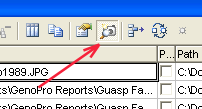
4) keep pressing on the 'Down Arrow' key, not too fast, to the end of the list and watch if some Picts do not show up. The Picts not showing up will have to be re-linked with the Browse button of the Pict Prop panel.
JC
Edited: Tuesday, April 29, 2008 by
jcguasp
|