|
|
|
|
Forum Members
Last Login: Tuesday, March 7, 2006
Posts: 6,
Visits: 12
|
 Yes, I'm really new to GenoPro, and the forum, and don't have much time to figure all this out. I'm wondering how I should be using the display tags and if they can be a symbol rather than text. Tried using them to indicate certain characteristics that I wanted to track in a family, but have no idea if thats possible. Thanks ahead of time for any help. Yes, I'm really new to GenoPro, and the forum, and don't have much time to figure all this out. I'm wondering how I should be using the display tags and if they can be a symbol rather than text. Tried using them to indicate certain characteristics that I wanted to track in a family, but have no idea if thats possible. Thanks ahead of time for any help.
|
|
|
|
|
Gamma
Customers
Important Contributors
FamilyTrees.GenoPro.com
Translator
GenoPro version: 3.1.0.1
Last Login: Thursday, December 25, 2025
Posts: 257,
Visits: 2,863
|
4Miranda (3/7/2006)
Yes, I'm really new to GenoPro, and the forum, and don't have much time to figure all this out. I'm wondering how I should be using the display tags and if they can be a symbol rather than text. Tried using them to indicate certain characteristics that I wanted to track in a family, but have no idea if thats possible. Thanks ahead of time for any help. I don't quite get precisely what are you talking about... Text indicates label for person/item, and it's not (let say) vise not to have label. http://www.genopro.com/medical_genograms/ . Note: You might decide to have use for those other then mentioned on the page, and you can describe their meaning through "legend" item available in later betas. and for the HOW part: Open one's properties, under "Display" you'll see medical symbols on the left, and possible coulourings on the right side... Just for the future reference: It was all allready mentioned in the forum... so for the future, please, try keyword search... you might get your answers much sooner...
- "εν οιδα οτι ουδεν οιδα" (Σωκρατησ) - "The only thing that I know is that I don't know anything" (Socrates)
Edited: Tuesday, March 7, 2006 by
GenoProSupport
|
|
|
|
|
Forum Members
Last Login: Tuesday, March 7, 2006
Posts: 6,
Visits: 12
|
Thanks, and yes, now I know about medical genograms. Earlier I didn't connect them with social behavior so was attempting to see if a display tag would work and when I customized a tag with a social behavior, it showed up as text above the individual's gender symbol. From what you said, that must be a "label". Didn't know what that was, either. So what are display tags used for? My new problem is that I don't know how to do a medical legend. Where do I explain why part of a symbol is colored the way it is? Guess I'll try key word search. Thanks for the info.
|
|
|
|
|
Customers
Important Contributors
GenoPro version: 3.1.0.1
Last Login: 15 hours ago
Posts: 449,
Visits: 7,991
|
4Miranda (3/7/2006)
My new problem is that I don't know how to do a medical legend. Where do I explain why part of a symbol is colored the way it is?This is fairly simple to set up once you know how  - Right click on an empty area of the Genogram and select 'New Text Label
- Create a new individual (male or female) and drag the symbol into position within the text box
- Double click on the symbol to bring up the properties box and select the 'Display' tag
- Select the appropriate quadrant colours/border outlines
- Go to the 'Report' tag and click on 'Make Label / Exclude from Report (use this option to create a legend)'
- Click on the 'OK' button to exit the Properties box
- Double click on the text box outline and you can then modify the text and various other options for the text box
- Press the 'OK' button to exit
If everything has worked OK, you will end up with something like this: 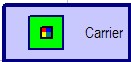
Good Luck!
|
|
|
|
|
Forum Members
Last Login: Tuesday, March 7, 2006
Posts: 6,
Visits: 12
|
Thank you, Howard53, you're definitely my hero!! and yes, it seems much easier when you know the "how". Your directions were great...I got it on the first try. Unfortunately, I have a NEW PROBLEM....How do I get my genogram to print out on a page and be big enough to see? Is it me, my printer, or a common genogram problem? Thanks again, the forum has been good to me. 
|
|
|
|
|
Customers
Important Contributors
FamilyTrees.GenoPro.com
GenoPro version: 3.1.0.1
Last Login: Yesterday @ 8:41 PM
Posts: 1,608,
Visits: 33,390
|
In later versions the scaling of genomaps will be improved for printing. At present you have to decide how many pages you want, horizontal and vertical in page set-up and whether they are portrait or landscape - in print set-up.
You can test how it will look using Print pre-view
|