After reading the initial Maru-San posting Family with a widowed partner along with Ron's reply, it is also my opinion that Users should be able to fully document the history of a relationship/couple. Here is my suggestion:I started to look at the entries available in the Drop Down Menu (DDM) of the Relation field (the one with the line patterns). I soon realised it was not practical to deal with the proposed 'combined events' such as 'Engagement and Cohab' and opted for the creation of single event DDM. Also because the resulting DDM(s) is/are significantly reduced in height.
For info:
a. I added a 'Civil Partnership' entry I saw on a Scottish web site. This is associated with Same-sex couple. But is it international? You keep it or leave it.
b. I kept the 'Unknown' entry but I removed 'Other' from the text simply because a Report Narrative saying, for exemple: 'They had another type of relation', doesn't mean anything to me as there's nothing available to compare with!
c. I removed the 'Marriage Annulled' tick box from the Unions tab and added 'Marriage Annullement' as an entry in the DDM. That way, it can also be documented.
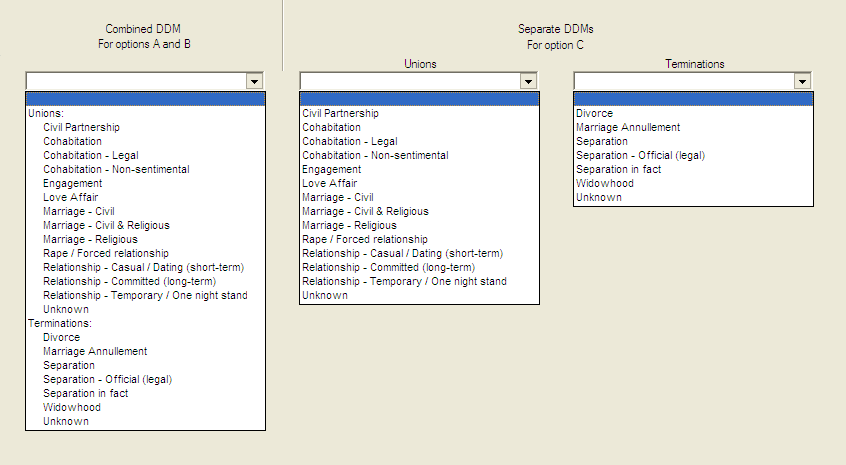
I then made up 3 options (4 in fact but B1 & B2 are B variations) of the 'Unions' tab based on single events, similar to the Individual's Education and Occupation tabs. In all options, I renamed the tab name 'Unions' to 'History' and 'Unions & Marriages' to 'Event List'.
The 'Start Date' field of the Union box will correspond, for the system, to the 'Date' field of the Termination box, in the case of dual boxes.
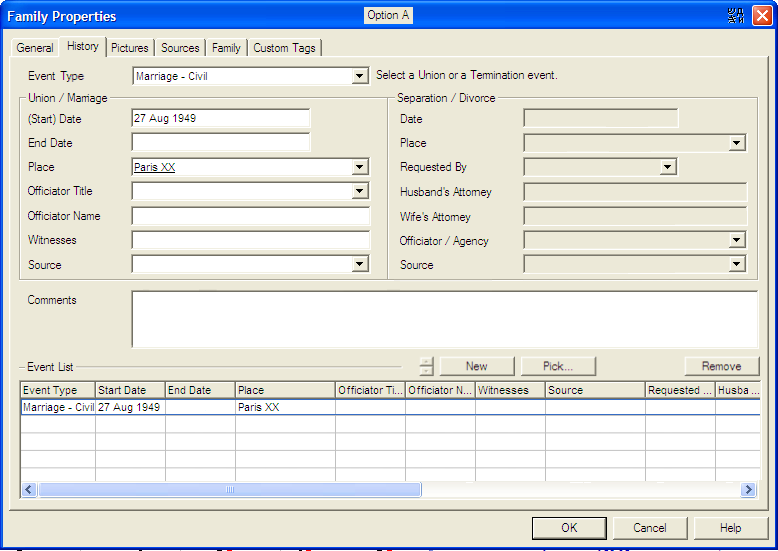
- Option A
1) I kept 2 separate boxes: 1 for Unions/Marriages and the other for Terminations (Separation and Divorce).
2) On entering the blank tab, I picture all fields to be greyed out except the Event Type field. The User then select an option in the DDM and the fields associated with the input (union or Termination) open up. For inputing a 2nd event, click New.
3) I added an End date in the Union box to specify the period of a Cohabitation, Relation or Love affair. I, however didn't add such field in the Termination box despite that, for exemple, the proceedings of a divorce, for exemple, may take ages!
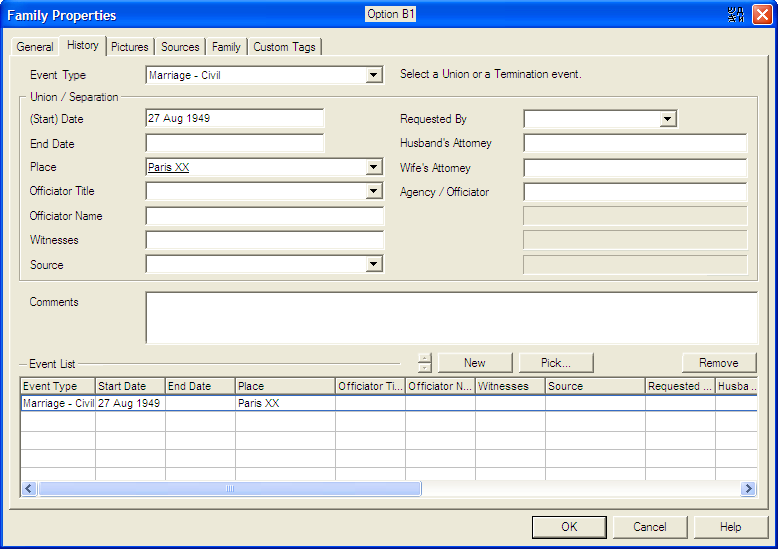
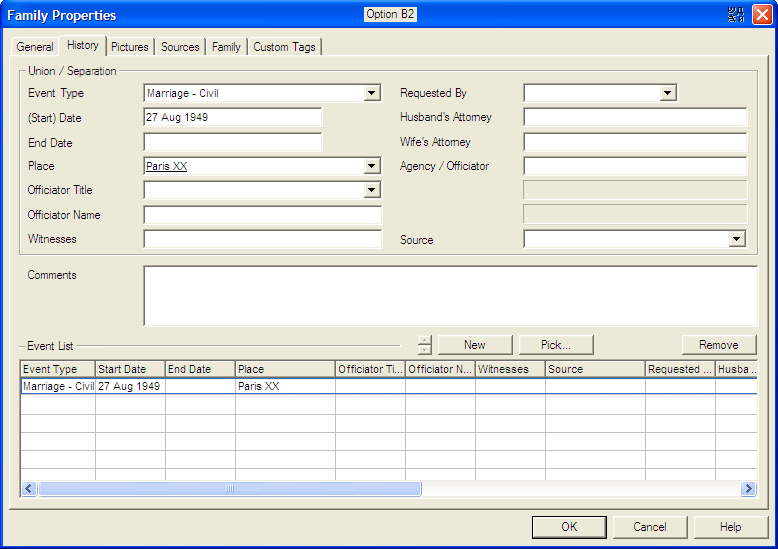
- Options B1 & B2
1) I grouped all fields pertaining to the Unions and Terminations boxes into a single box, allowing spare space for possible additional fields.
2) I changed the field title 'Officiator / Agency' to 'Agency / Officiator' to differenciate from the other Officiator.
3) For info, option B1 shows the 'Event Type' field outside the box, similar to option A. Option B2, inside the box.
4) Depending on the DDM selected entry, some fields could then be greyed out by the system. But be careful on choosing such fields. I lately thought of a 'Marriage under Contract', which may require to let open the 'Attorneys' and 'Agency' fields (actually planned for divorce only) to properly document this union 'Contractual issue'!
5) To add up another event, click New.
6) In option B1, the 'Comments' or 'Event List' field height could be increased if required. This will entail moving the 'Source' field up one row and right. In this case the available space will be for one spare field only.
- Options C (showing the input of a 2nd event)
1) Back with 2 boxes but this time with an 'Event Type' field in each box.
2) Similar to option A, on entering the blank tab, I picture all fields to be greyed out except the 2 Event Type fields. If a User select a union, the associated fields open up. Once a union has been input, if the User then select a Termination event in the DDM, the system should detect the entry and auto-start a new event in the Event List. Once the 2 boxes have been filled in, click New to input more event(s). All fields will again be presented as greyed out except the Event Type fields.
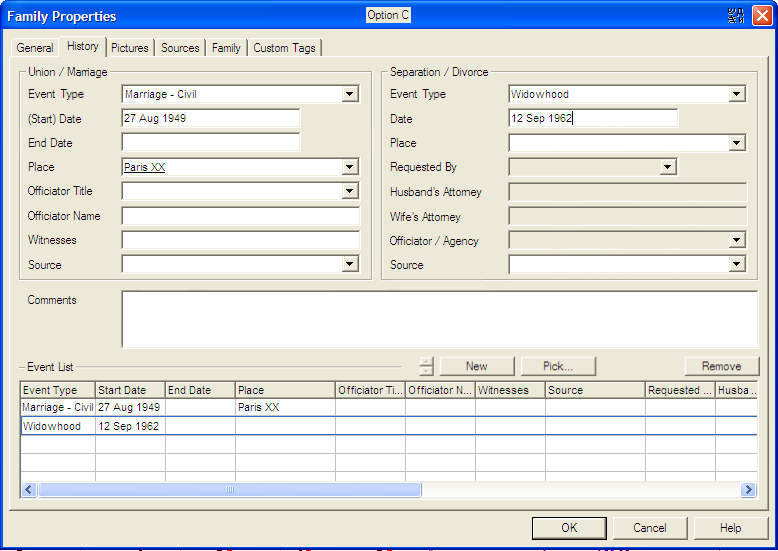
I am personnally in favour of option B1 as it's probably more flexible with all the fields together. The insertion possibility of new field(s) is also interesting. It may also be easier to program.
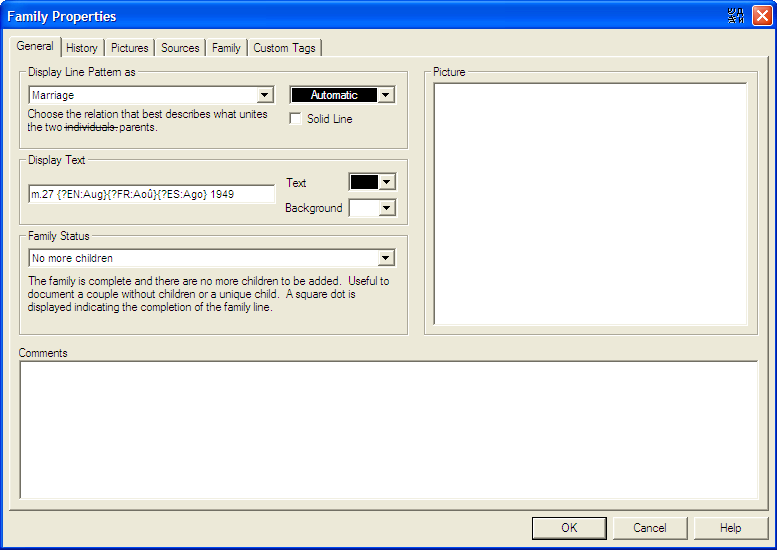
I also propose to change the General tab:
1) I changed the 'Relation' field name to 'Display Line Pattern as' as I remember, at the beginning of using Genopro, I got confused with this field till I discovered it was/is only used for selecting the line type, if not mistaken, with no relation whatsoever with the input events. Having said that, I also suggest to make this field interactive in auto-selecting the proper line type based on the input events. I think Genopro may achieve this.
I also moved this field prior to the 'Display Text' field.
2) I slightly changed the 'Display Text' box, adding titles for the 'Color' fields.
3) I changed 'Family Line' to 'Family Status'.
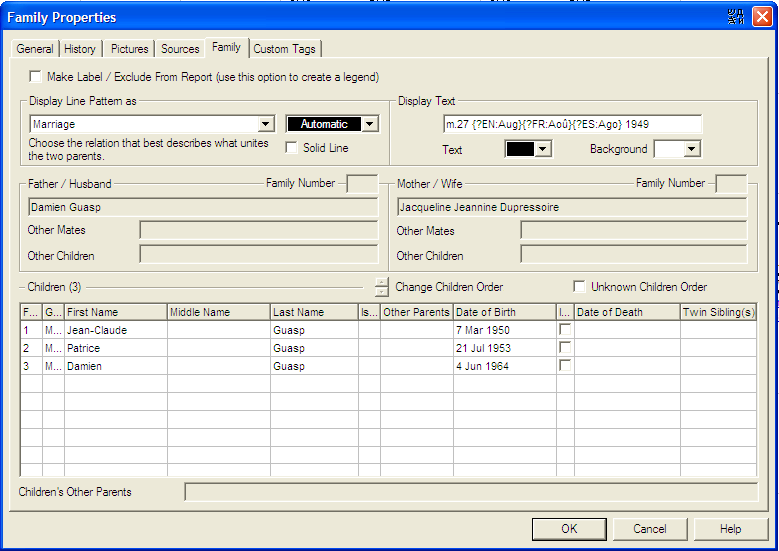
And finally the Summary tab:
1) I renamed it to 'Family', similar to the Ind Prop panel tab.
2) I moved the 'Make Label / ...' tick box at the top, similar to the Ind Fam tab. For info, I also copied '(Use his option...legend)' but i'm not sure if it's applicable here.
3) I managed to squeeze in the 'Display Text' box, same as the Gene tab. May not be fully necessary.
4) I changed the tick box named 'Unknown Child Order' to 'Unknown Children Order'.
5) I changed the 'Change Children Order' button into the 2 small arrows buttons. May not be very important. This is to avoid the subsequent panel.
6) Note on the words 'individuals' and 'parents' appearing in the texts of the 2 'Relation' fields (on Gene and Summary tabs): I suggest to make this word common to both tabs and be interactive with the input children: If no children input -> individuals; if children input -> parents.
Perhaps same comments for Father/Husband and Mother/Wife.
I hope all the above is feasible, from system and Narative Report point of view.
Thank you
JC