|
|
|
|
Administrators
Customers
Important Contributors
FamilyTrees.GenoPro.com
GenoPro version: 3.1.0.1
Last Login: 20 minutes ago
Posts: 3,487,
Visits: 27,239
|
Oh well, a little bit more work for me there then! Just when I thought 2.0.1.5 was ready........ C'est la vie. Apologies Frank1, normal service will be resumed as soon as possible. 
'lego audio video erro ergo disco' or "I read, I listen, I watch, I make mistakes, therefore I learn"
|
|
|
|
|
Important Contributors
FamilyTrees.GenoPro.com
Customers
Translator
GenoPro version: 2.0.1.6
Last Login: Tuesday, December 16, 2008
Posts: 390,
Visits: 1,271
|
To Ron,
Frank1 is right but only when the primary Pict has been excluded. If you exclude a 'secondary' Pict, the primary one (and others if any) is/are shown OK.
+ for info:
1) the caption (title) of an excluded Pict is still shown on the 'Personal Details' of the Ind Fam page: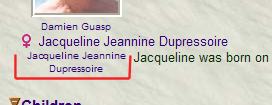
2) the slideshow icons, on the Ind page, are still shown even with 1 Pict left.
3) in the Pict Index the camera is also there along with the link. But as the Pict is not in the Gallery, clicking on the link brings up the 1st Pict in the Gallery. 4) also if the CT input is 'y' (small letter), the exclusion doesn't work. Perhaps an Ucase() function should be added. Note that this remark may be valid for other CTs? Same for a Fam or Place Pict.
Pity it's only an Interim solution! JC
Edited: Tuesday, April 1, 2008 by
jcguasp
|
|
|
|
|
Customers
GenoPro version: 2.0.1.4
Last Login: Thursday, June 30, 2016
Posts: 141,
Visits: 294
|
RonI worked out how to use the Custom Tags. With a "Y" in the _Exclude tag, the report generator excludes the picture from the HTML report. However, if there is another picture for the same person with the _Exclude Tag empty or "N", the report generator excludes that as well. That is, either all pictures are excluded or none. Also, when all excluded with "Y" the camera logo is still next to the name in the Name Index. I don't know if this is normal behavior. Thanks Frank1
|
|
|
|
|
Customers
GenoPro version: 2.0.1.4
Last Login: Thursday, June 30, 2016
Posts: 141,
Visits: 294
|
RonThat sounds just like something I have been looking for. Could you please explain a little more about how I could get that to work. I have never needed Custom Tags before so never used them yet. Thanks Frank1
|
|
|
|
|
Administrators
Customers
Important Contributors
FamilyTrees.GenoPro.com
GenoPro version: 3.1.0.1
Last Login: 20 minutes ago
Posts: 3,487,
Visits: 27,239
|
A rewrite of GenoPro privacy is still awaited. However I did add an interim solution for the report some time ago. Create a Custom Tag _Exclude for the Picture object. Then set this tag to Y for any pictures you want excluded from the Narrative Report.
'lego audio video erro ergo disco' or "I read, I listen, I watch, I make mistakes, therefore I learn"
|
|
|
|
|
Customers
GenoPro version: 2.0.1.4
Last Login: Thursday, June 30, 2016
Posts: 141,
Visits: 294
|
A couple of years ago I suggested that a method should be provided so that pictures may be selected to be included or excluded from HTML reports.The response was that this feature will be implemented in a future release. I am wondering if this feature is still on the list of things to do, or has it been scrapped? Thank you Frank1
Edited: Tuesday, April 1, 2008 by
GenoProSupport
|