|
|
|
|
Customers
FamilyTrees.GenoPro.com
GenoPro version: 3.1.0.1
Last Login: Wednesday, November 26, 2025
Posts: 495,
Visits: 3,391
|
After some initial tests it appears that version 2011.10.06 fixes all three problems mentioned.
Thanks.
|
|
|
|
|
Administrators
Customers
Important Contributors
FamilyTrees.GenoPro.com
GenoPro version: 3.1.0.1
Last Login: 2 days ago @ 9:23 PM
Posts: 3,464,
Visits: 26,854
|
Version 2011.10.05 should fix the small font size issue. The missing </div> may have caused the picture and text overlap too but I have not been able to test this.
'lego audio video erro ergo disco' or "I read, I listen, I watch, I make mistakes, therefore I learn"
|
|
|
|
|
Customers
FamilyTrees.GenoPro.com
GenoPro version: 3.1.0.1
Last Login: Wednesday, November 26, 2025
Posts: 495,
Visits: 3,391
|
In short, in my case I can identify three problems with the picture gallery:
1. The overlapping text
- disappears when resizing the window
- does not show with IE9 or FF (as Alex mentions)
2. The pictures that "overflow" out of their delimited areas
- disappears when resizing the window which repositions the pictures correctly
- reappears after rebooting the PC
- noticed on other people's reports (in familytrees) as well
3. The font becoming extremely small towards the end of the report
- not seen in other people's reports yet
- looks as if the font is already smaller than usual at the first occurrance
Note that although some examples I posted were made using a local report variant, I was able to reproduce all problems with the English narrative report that comes with GenoPro 2.5.3.9 (2011.07.23).
|
|
|
|
|
Customers
FamilyTrees.GenoPro.com
Translator
GenoPro version: 3.1.0.1
Last Login: Yesterday @ 3:08 PM
Posts: 282,
Visits: 12,922
|
In FF I do not see first problem, which you have described.
I see very small font size in bottom of the page in your report.
In my report no such problems.
Narrative_2011.07.23
|
|
|
|
|
Administrators
Customers
Important Contributors
FamilyTrees.GenoPro.com
GenoPro version: 3.1.0.1
Last Login: 2 days ago @ 9:23 PM
Posts: 3,464,
Visits: 26,854
|
Yes there seems to be a missing closing </div> tag after the footnotes section (source refs).
I will post a fix to the Narrative skin soon.
'lego audio video erro ergo disco' or "I read, I listen, I watch, I make mistakes, therefore I learn"
|
|
|
|
|
Customers
FamilyTrees.GenoPro.com
GenoPro version: 3.1.0.1
Last Login: Wednesday, November 26, 2025
Posts: 495,
Visits: 3,391
|
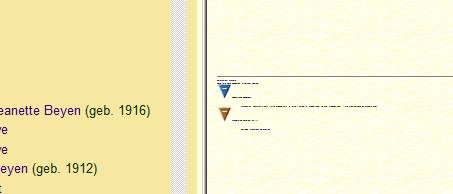
Towards the bottom of the list of pictures, the text becomes unreadable
|
|
|
|
|
Customers
FamilyTrees.GenoPro.com
GenoPro version: 3.1.0.1
Last Login: Wednesday, November 26, 2025
Posts: 495,
Visits: 3,391
|
I was able to reproduce the problem by rebooting the PC.
Here it is:
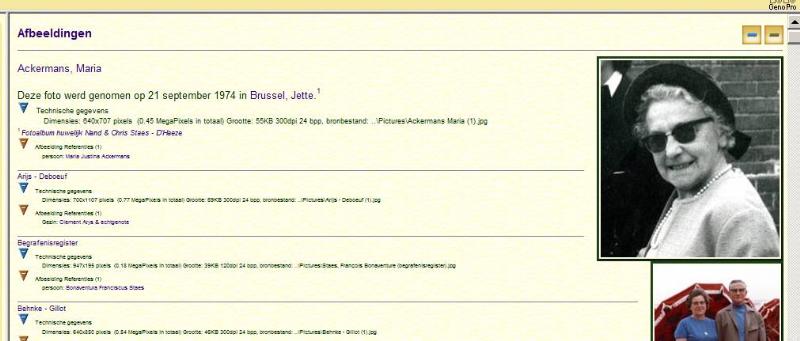
Simply resizing the browser window, solves the display issue.
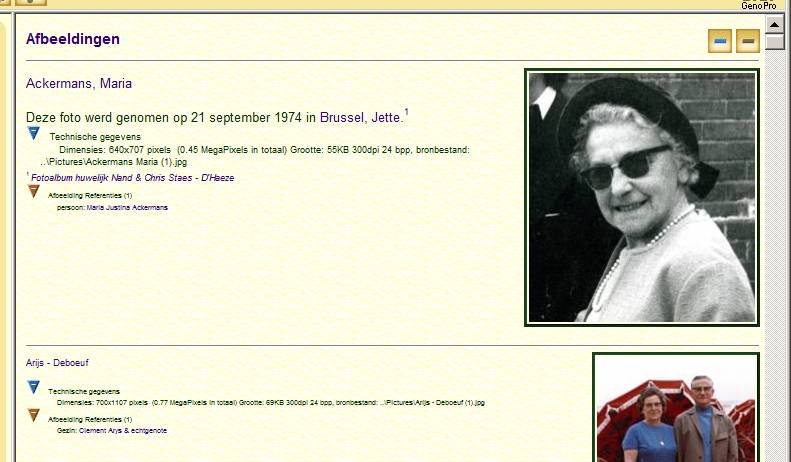
You can try it yourself by accessing one of my reports at familytrees like SDBB
Click on the camera icon and then on the first picture in the list.
|
|
|
|
|
Customers
FamilyTrees.GenoPro.com
GenoPro version: 3.1.0.1
Last Login: Wednesday, November 26, 2025
Posts: 495,
Visits: 3,391
|
After generating a new version of my reports there seems to be something wrong with the way my web browser (IE8) processes the picture gallery.
The "thumbnails" clearly exceed the space provided between the horizontal markers, the text is sometimes overlapping and the font seems to be too small.
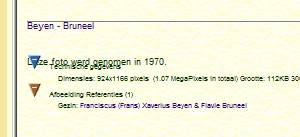
Strangely enough, after clicking on the blue button which hides/shows the technical details. Aligment is again OK. Font size remains small though.

I was not able to reproduce the space issue. The problem is the same for different versions of the narrative report.
|