|
|
|
|
Gamma
GenoPro version: 2.5.4.1
Last Login: Wednesday, October 5, 2022
Posts: 4,
Visits: 8
|
Hi,
I recently downloaded GenoPro 2011 via CrossOver (22.0.0) to my MacBook Air (macOS Monterey 12.5). When I start building family trees, GenoPro doesn't seem to save any name information of any individual: when clicking on e.g. individual "John Doe", the properties window is completely empty. If I make any changes through the display tab, all information on the individual disappears. Not only does the program erase or loose the identifying information but it also includes a cross through the gender symbol. No one in my group experience the same problem with the same configuration. Updating GenoPro to its latest version is currently not an option.
|
|
|
|
|
Administrators
Moderators
Customers
Gamma
FamilyTrees.GenoPro.com
Translator
GenoPro version: 3.1.0.1
Last Login: Tuesday, February 3, 2026
Posts: 4,885,
Visits: 22,803
|
This video is very troubling. It looks like the library riched20.dll is not loading, and this is why you cannot edit anything. I think the way the library is loaded in GenoPro 2020 slightly changed to be more robust.
Can you try with GenoPro 2020? If it works I will give you a free permanent registration key if it works. If it does not work, can you check if you have a file named riched20.dll in the folder c:\Windows\System32\ , or an equivalent folder?
|
|
|
|
|
Gamma
GenoPro version: 2.5.4.1
Last Login: Wednesday, October 5, 2022
Posts: 4,
Visits: 8
|
Any other suggestions?
|
|
|
|
|
Gamma
GenoPro version: 2.5.4.1
Last Login: Wednesday, October 5, 2022
Posts: 4,
Visits: 8
|
Thank you for your reply.
Actually, I originally tried with GenoPro 2020 with a temporary registration key, but to no avail. The same problem appears with every version. I now checked the situation with both GenoPro 2011 and GenoPro 2022. In both cases the path c:\windows\system32\ opens to the following view: 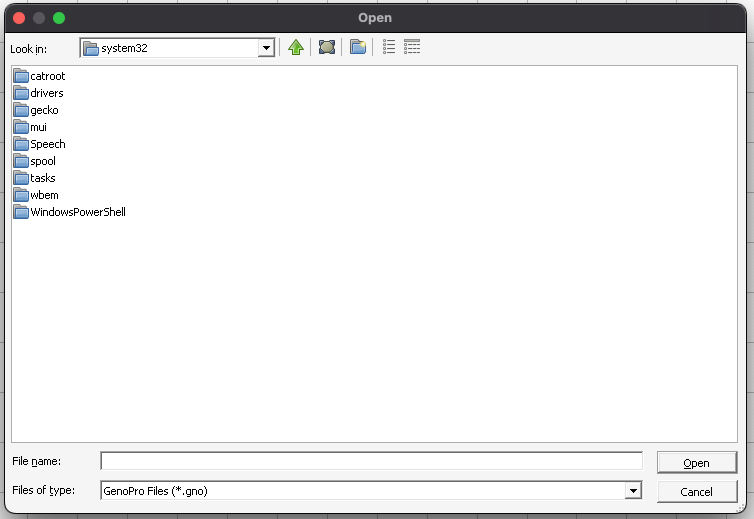 Thus, no riched20.dll library found in either of the versions. I tried looking for the library in other folders as well but alas could not find it. How to move forward from here?
|
|
|
|
|
Administrators
Customers
Important Contributors
FamilyTrees.GenoPro.com
GenoPro version: 3.1.0.1
Last Login: 1 hour ago
Posts: 3,504,
Visits: 27,488
|
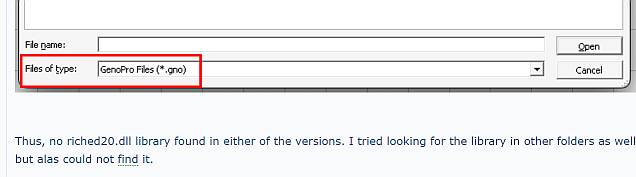
Looks like you were looking only for files of type .gno, when you should look for .dll or all files *.* 
 Since no one else has the same issue, maybe its a duff Crossover install? Have you tried reinstalling Crossover then GenoPro and trying again?
'lego audio video erro ergo disco' or "I read, I listen, I watch, I make mistakes, therefore I learn"
|